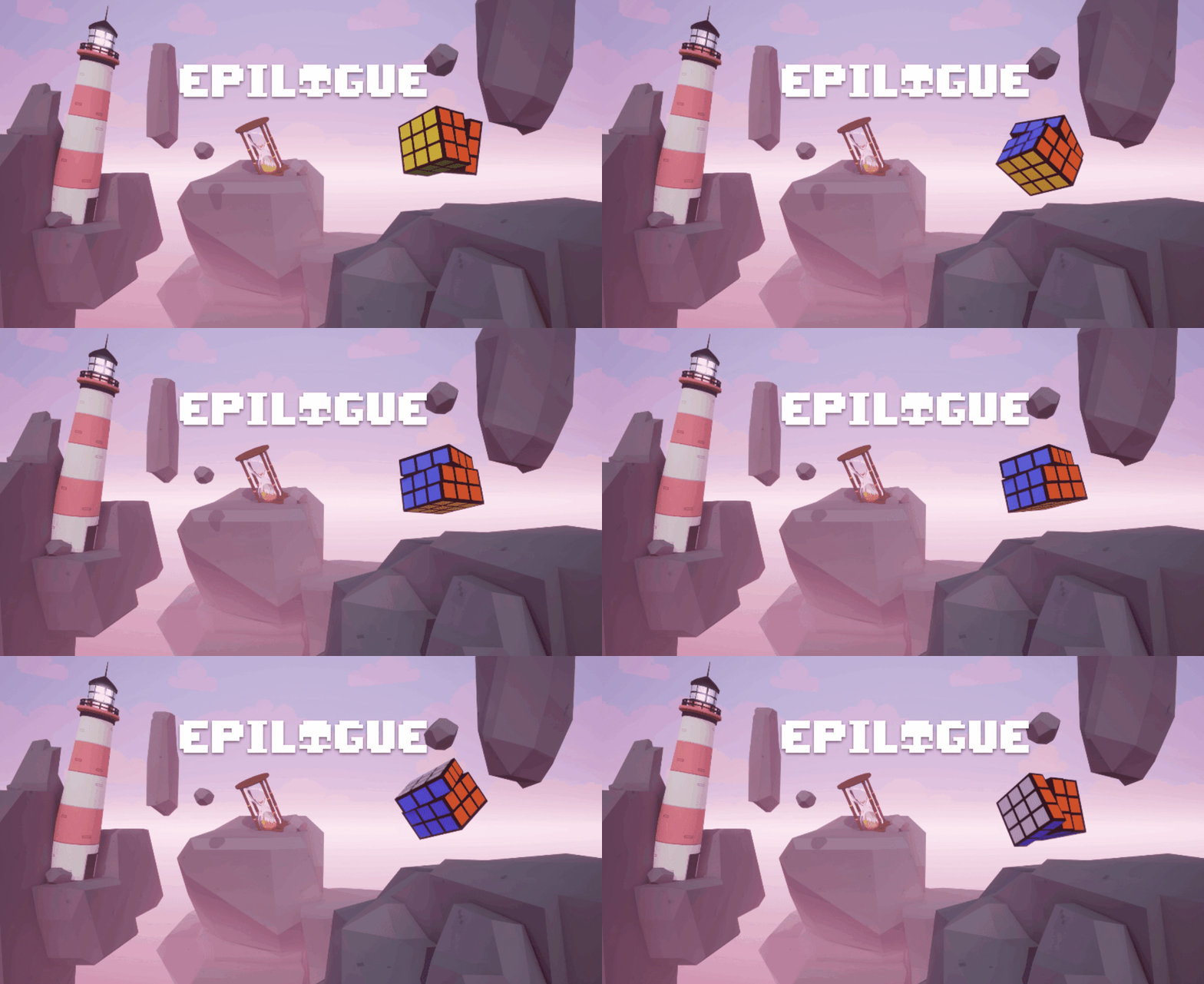
Epilogue is an FPS roguelike game where players can discover weapon upgrades, combining and mixing them to craft powerful arsenals. These upgrades manifest as shiny objects scattered throughout each level, ranging from those in plain sight to cleverly hidden ones
Project Info
Main Roles: Systems & AI Programming
Duration: 4 weeks
Team Size: 9
Unreal Engine 5.2 - C++ & Blueprint
Wave Manager
In the early stages of development, I envisioned a roguelike experience with intense enemy encounters. To bring this vision to life, I implemented a robust system that dynamically spawns enemies around the player. This system was designed to be modular, allowing for easy integration with additional systems alongside the Wave Manager.
I meticulously designed the code to accommodate various enemy types using an Enum. This flexible system enables the dynamic spawning of enemies at random positions surrounding the player. A crucial aspect of this implementation is its consideration for the boundaries of the navigation mesh, ensuring that spawned enemies seamlessly navigate within the designated play area.
How the blueprint code looks like for the WaveManager.
How the enemy spawn logic looks like when it then returns back to C++ side.
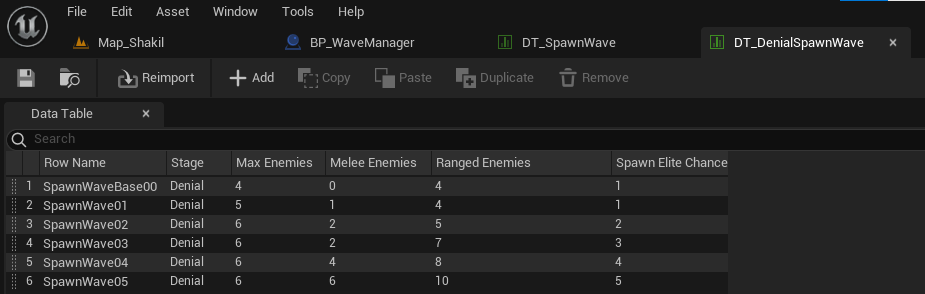
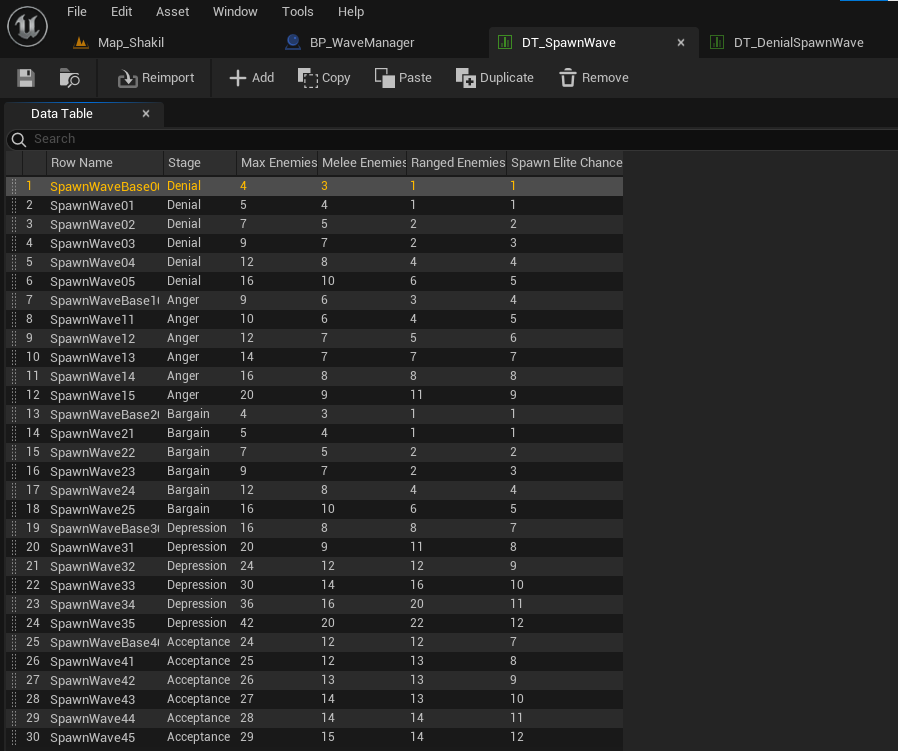
Set Data Table for the enemy spawn wave
One of the examples of how it looks like
How it first started. Requested my designer to group up the DataTable with its Stage type. Because of the benefit of utilizing said DataTable as a stand alone.
My designer requested that we work with DataTables, and he meticulously laid out an extensive system in an Excel sheet. Everything needed to be compatible with blueprints for the convenience of our designers. Initially, I intended to implement everything in C++, but with that mindset discarded, almost everything had to be refactored to align with the blueprint. Frankly, it was a fun and rewarding challenge to overcome.
AI
In later development, I was assigned to assist our AI designer, who was tackling this task for the first time. Unfortunately, none of our team members had prior experience in AI development. Consequently, we decided to create a basic AI, which presented its own set of challenges. One significant hurdle was implementing a pooling system to efficiently manage the large number of enemies. Even after respawning, these enemies needed to perform actions such as moving, shooting, and standing still, adding an extra layer of complexity to the task.
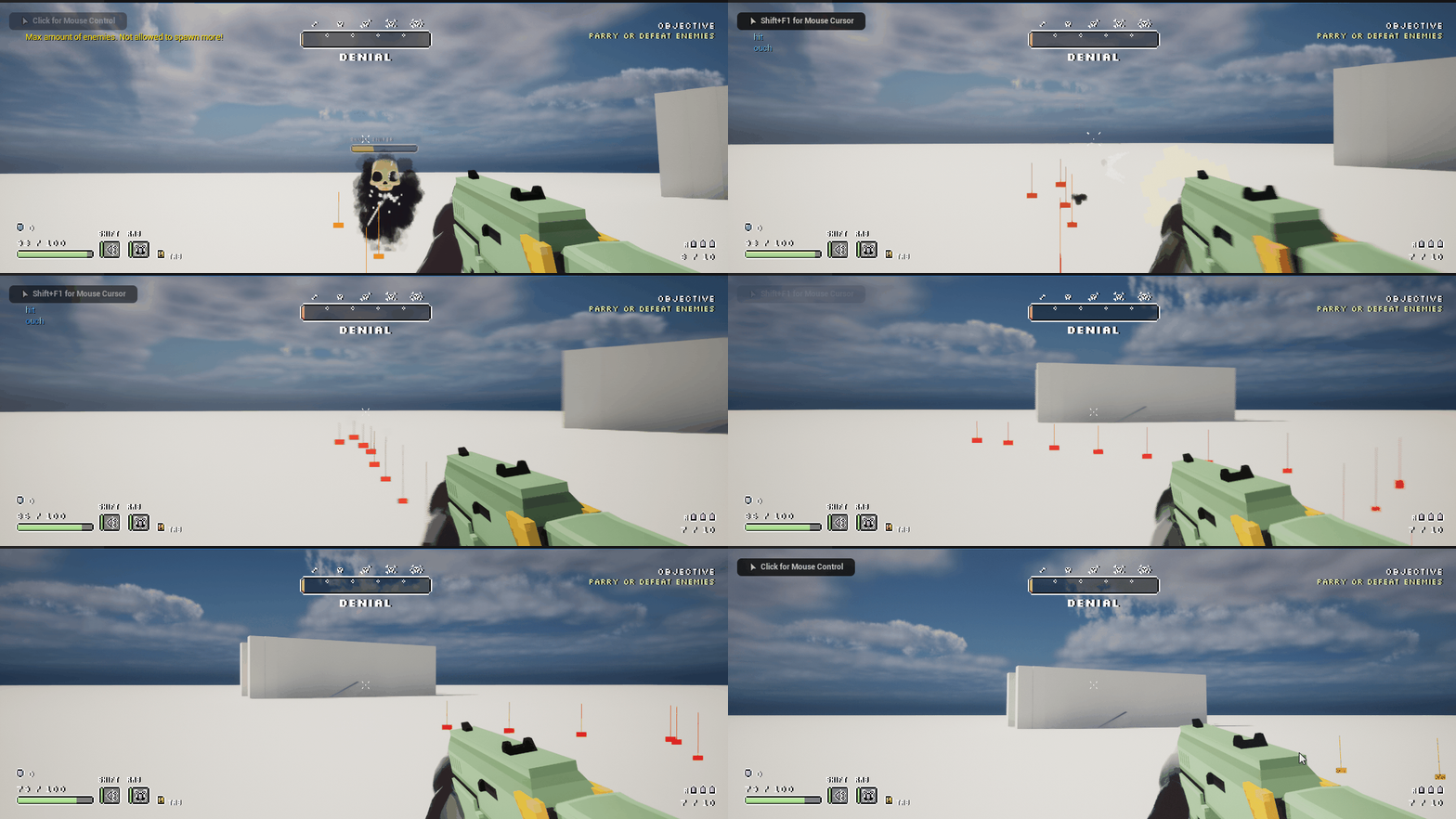
Enemy projectile still fired away even after it died. Which caused some huge headache for our AI designer.
The reason for this lies in my pooling system, where I had to devise a way to prevent the enemy from shooting even in its 'dead' state. To achieve this, I incorporated Set ActorTickEnabled(); into the EnemyBase script. By checking the IsActive status, I can determine whether the enemy is alive. This implementation not only addresses the specific issue but also streamlines the process of pooling enemies. I applied a similar approach in my third Future Games project, 'The Legend of Tronco.
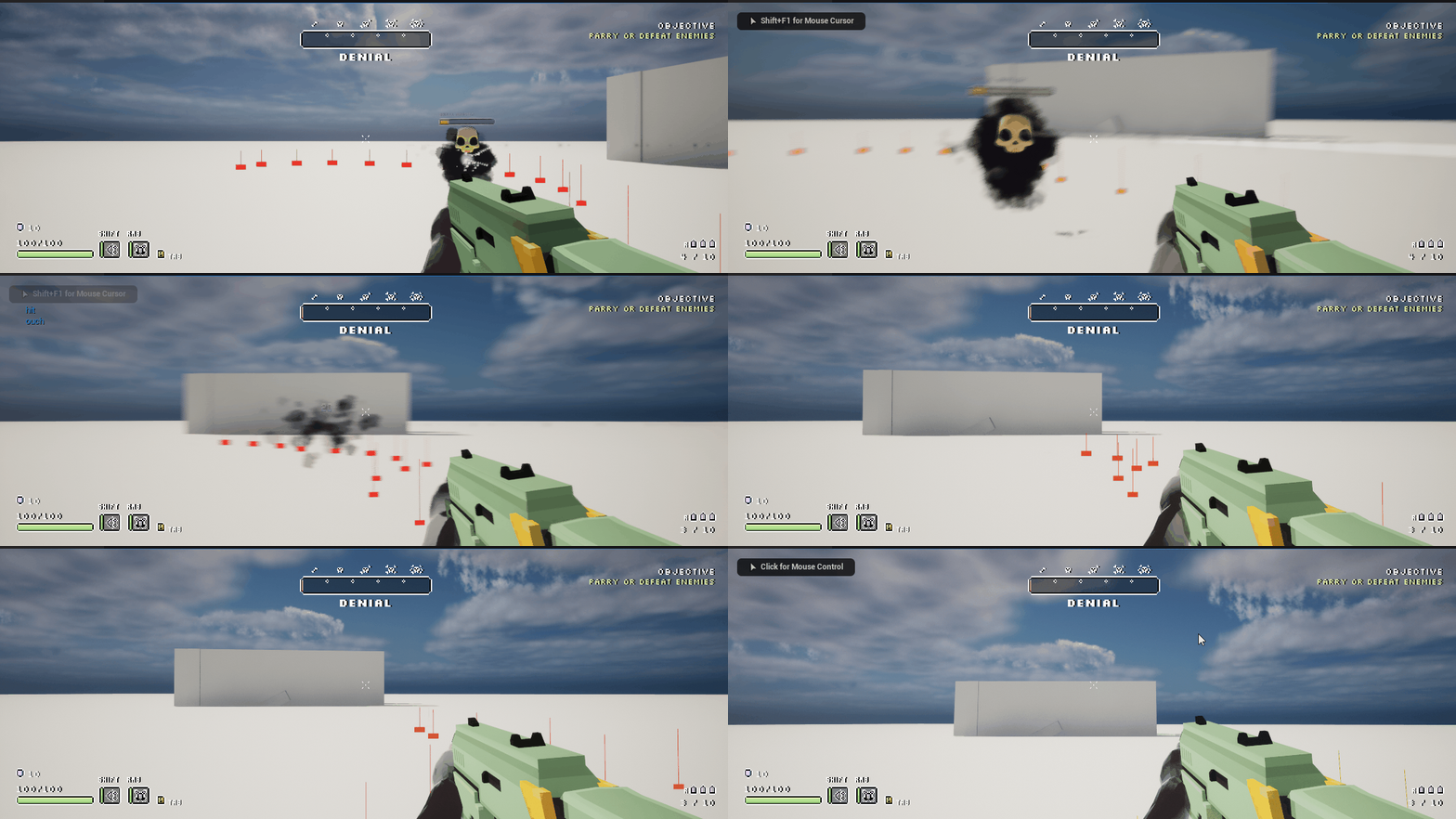
Now the enemy does not shoot even if it is dead. Which should be the case.
While there were numerous instances where I had to debug, unfortunately, there isn't enough material to showcase as these issues were relatively small, and I wasn't able to record the debugging process.
Pooling System
I find great satisfaction in pooling elements to achieve optimal performance, continuously exploring the expansive realm of optimization. The concept of pooling allows for a more efficient utilization of resources, contributing to an enhanced overall performance.
The BeginPool method is integrated within the BeginPlay method, ensuring that the pooling mechanism is initiated at the start. On the other hand, the SpawnEnemy method is dedicated solely to spawning enemies. It includes a check to verify the availability of existing reserves before placing them in the world.
PoolsEnemy.cpp
PoolsEnemy.cpp
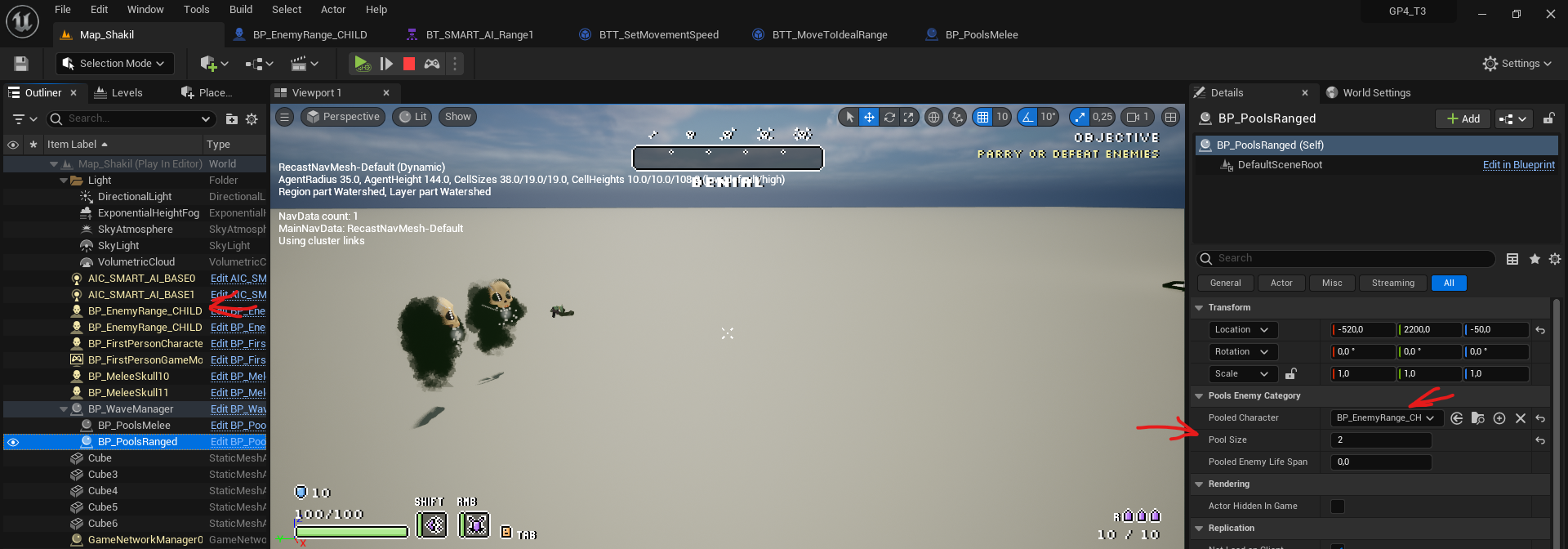
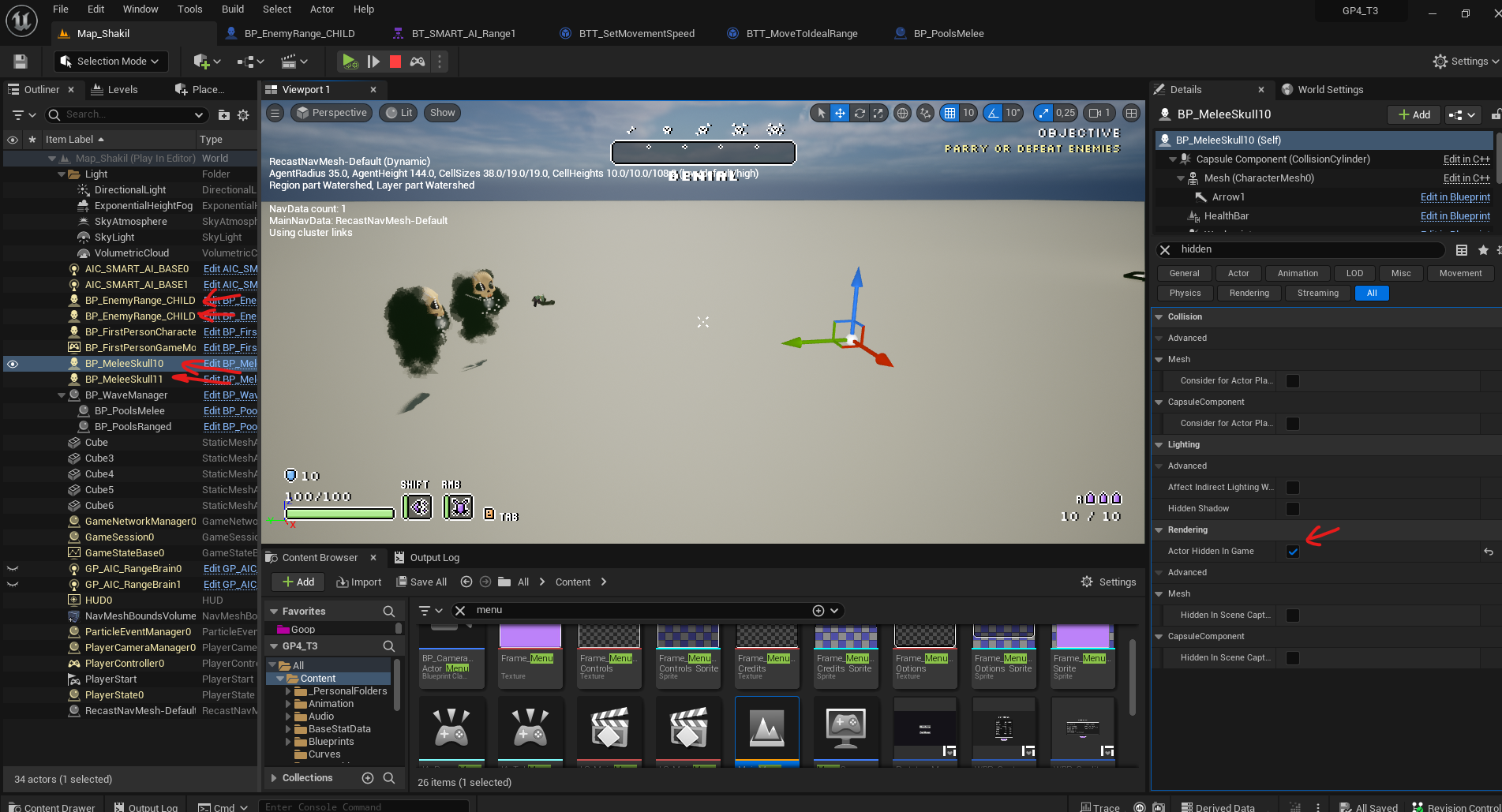
With actors inheriting from the EnemyPools script, anyone can easily assign the individual pool size for each enemy. In the provided screenshot, the pool size is set to two for each enemy type, and a total of four enemies are spawned from the pool. Specifically, for this instance, I chose to spawn two ranged enemies
Only the melee enemies are hidden as they are only pooled in the world.
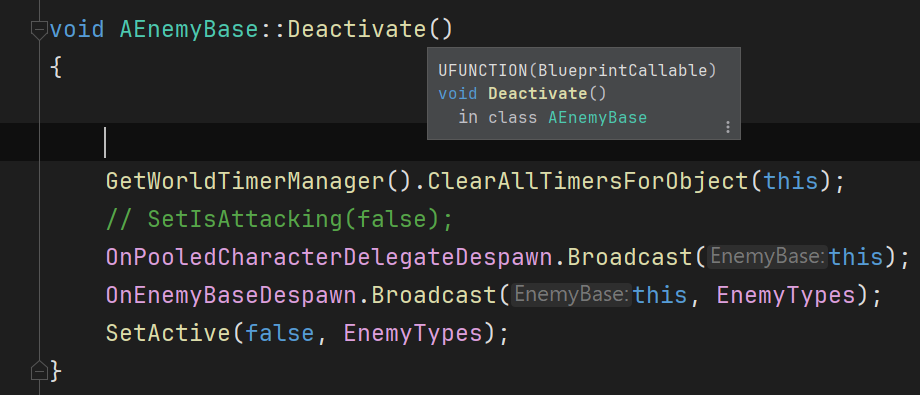
Typically, when enemies are defeated by the player, the DestroyActor method is employed. However, to align with my pooling system's objective of returning enemies to the pool, I've implemented a convenient method called Deactivate within the EnemyBase class. This method essentially broadcasts a signal indicating that this particular enemy is no longer active, facilitating its seamless return to the pool.
This blueprint is associated with the parent of all enemies. The OnDeath(Health) event is triggered when an enemy perishes. Subsequently, it utilizes the Deactivate function, which is marked as a blueprint callable function. This design allows any enemy to invoke the Deactivate function, ensuring their return to the pool instead of being outright destroyed upon demise.
Summary
This project has been incredibly eventful and stands as my proudest accomplishment to date. Our success can be attributed to clear communication and well-defined goals. My primary contributions involved crafting a robust pooling system, implementing a WaveManager to handle enemy spawning, and taking on the role of Quality Assurance (QA) for the AI aspects.